StaticQ vs WP Offload Media: A Free Alternative for More Than Offloading
A fair comparison of StaticQ Media and WP Offload Media for cloud storage offloading: features, pricing, and which plugin fits your WordPress site.
WP Offload Media is one of the most established plugins for moving WordPress media to cloud storage. It works well, it’s maintained by WP Engine (which acquired Delicious Brains in 2022), and it does what it promises. There’s a free WP Offload Media Lite on WordPress.org (S3 / DigitalOcean Spaces / Google Cloud Storage, new uploads only), and a paid Pro version that adds Cloudflare R2 support, bulk migration of existing media, and additional integrations, starting at $39/year on the smallest tier and climbing to $1,199/year for the unlimited tier, with pricing tiered by how many media items your library contains. StaticQ Media does the same offloading job, plus image optimization, WebP conversion, and media library scanning on top. And it’s free at every feature level.
Verified June 2026 against the deliciousbrains.com pricing page and the WP Offload Media Lite listing on WordPress.org. Plans, tiers, and feature splits do change. Confirm on the vendor’s site before purchasing.
If you’re evaluating a WP Offload Media alternative, here’s an honest look at how the two compare.
What WP Offload Media Does
WP Offload Media is a cloud storage offloading plugin. Its core job is straightforward and it does it well:
- Copies media uploads from your WordPress server to a cloud storage provider (Amazon S3, Cloudflare R2, Google Cloud Storage, or DigitalOcean Spaces)
- Rewrites media URLs so visitors load images from cloud storage instead of your server
- Optionally removes local files after offloading to reclaim disk space
- Provides a bulk offload tool for existing media libraries
It’s a focused tool. It moves files from point A to point B and makes sure WordPress serves them from point B. That’s the scope.
What WP Offload Media Doesn’t Do
WP Offload Media is a storage tool, not an image optimization tool. It does not:
- Resize images beyond what WordPress generates natively
- Convert images to WebP (or any next-gen format)
- Rewrite front-end HTML to serve WebP with fallback
- Scan your media library for integrity issues (missing thumbnails, orphaned metadata)
- Detect orphan files in your uploads folder
- Scan post content for stale or broken image URLs
- Deploy a Cloudflare Worker for edge-level serving logic
If you need image optimization alongside offloading, WP Offload Media’s WordPress.org listing explicitly recommends pairing with EWWW Image Optimizer. They state they “officially support its integration with WP Offload Media.” Practically, that means a second plugin to install and maintain, and an EWWW subscription if you want anything beyond their modest free tier.
What StaticQ Media Adds on Top of Offloading
StaticQ Media is a complete media pipeline. Offloading to cloud storage is one part of it, not the whole thing:
- Queue-based processing: Images are resized, optimized, and offloaded via WordPress cron in controlled batches. No CPU spikes on upload, even on shared hosting.
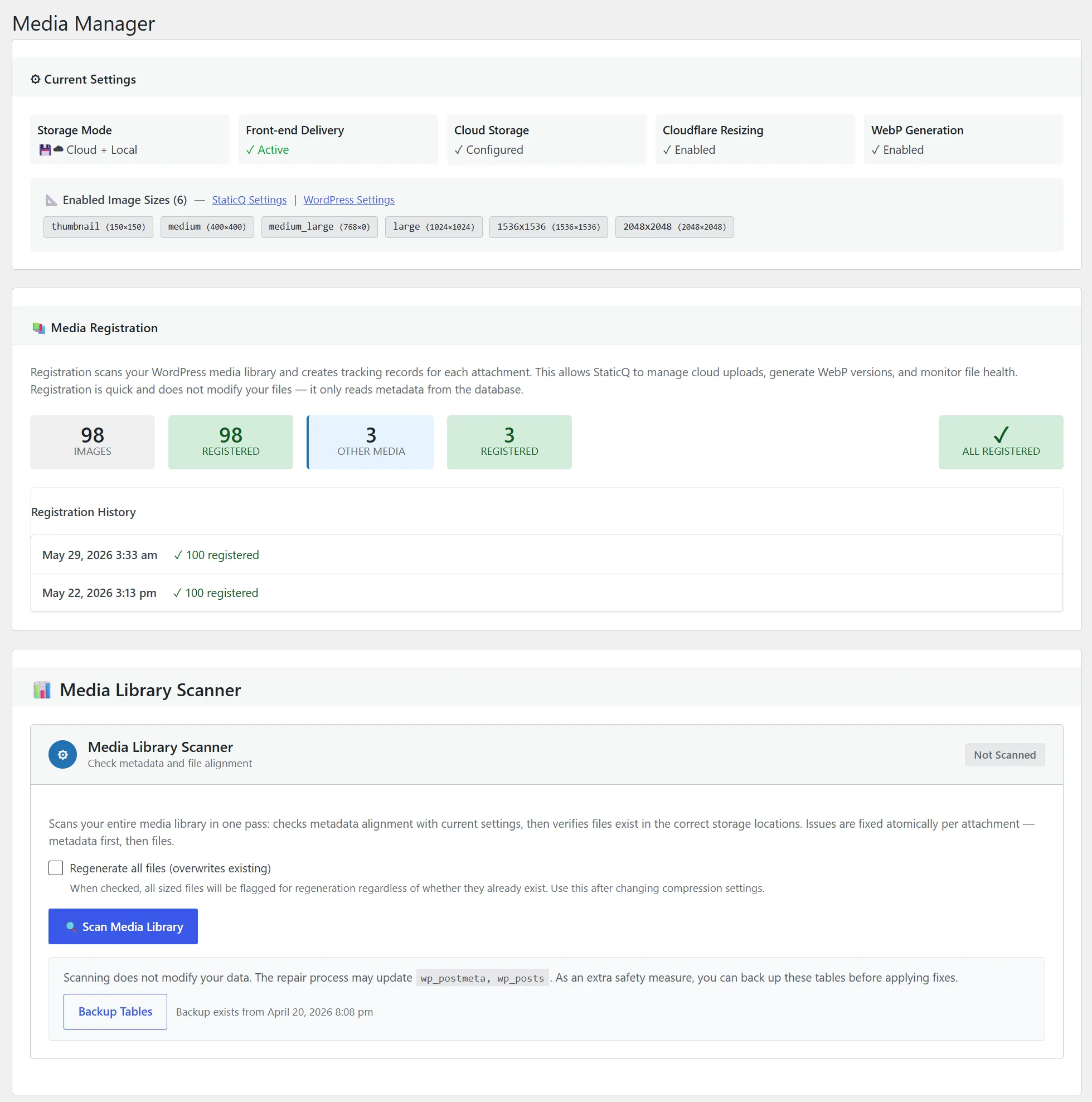
- WebP conversion: Every image gets a WebP variant, generated locally (GD/Imagick) or via Cloudflare Image Resizing at the edge.
<picture>tag delivery: Front-end HTML is rewritten to serve WebP to browsers that support it, with automatic JPEG/PNG fallback.- Media Library Scanner: Compares every attachment against your current settings: catches missing thumbnails, missing WebP variants, files not yet uploaded to R2.
- Post Content Scanner: Finds stale image URLs in your post and page content: references to old domains, broken paths, or URLs that don’t match your current CDN setup.
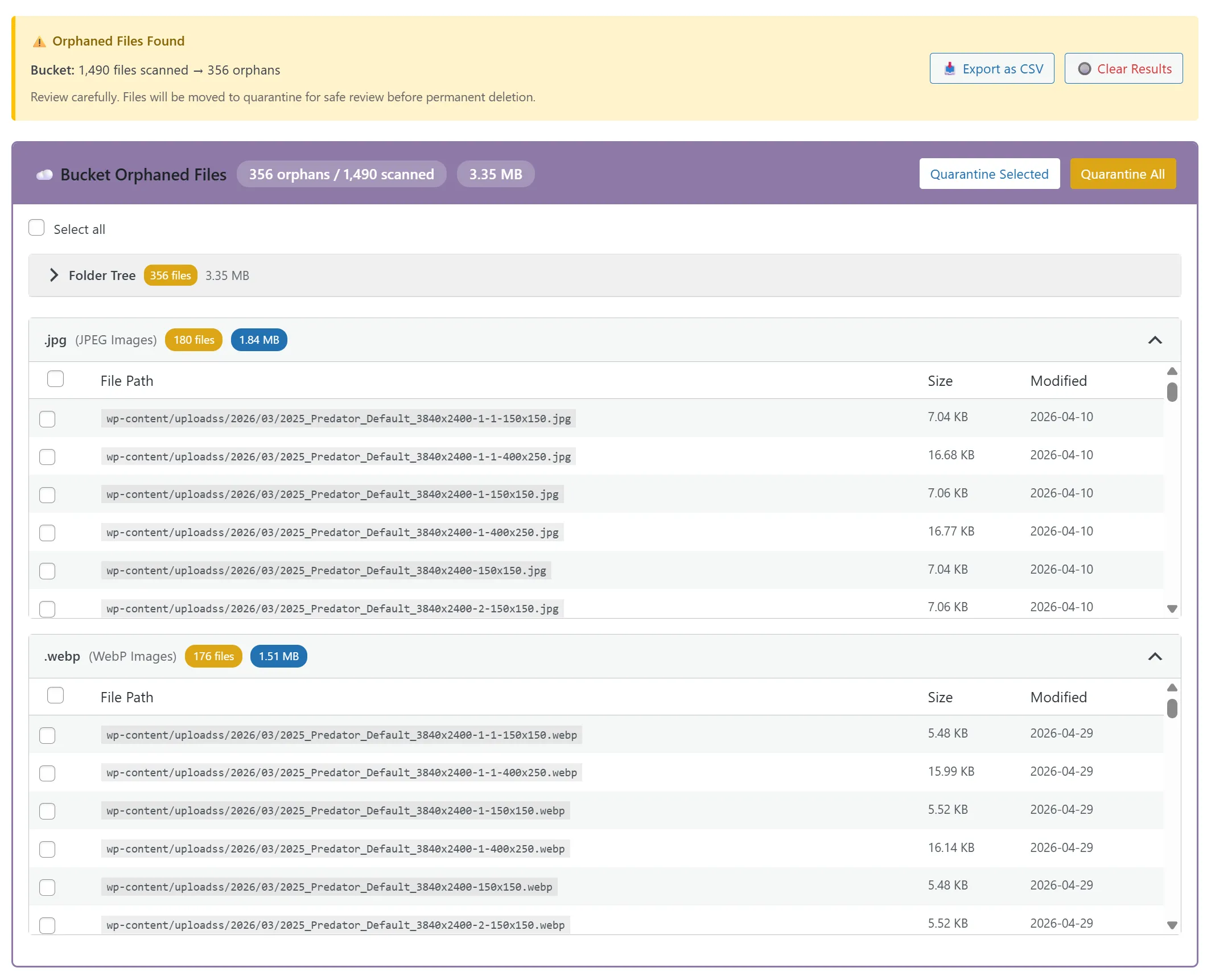
- Orphan Detection: Scans your uploads folder for files that don’t belong to any WordPress attachment: old thumbnails, failed imports, remnants of deleted plugins. Review, quarantine, and purge safely.
- Cloudflare Worker deployment: Optionally deploy a Worker script that handles serving logic at Cloudflare’s edge.
Feature Comparison
Storage Providers
- WP Offload Media Lite (free): Amazon S3, Google Cloud Storage, DigitalOcean Spaces (no Cloudflare R2)
- WP Offload Media Pro: All of the above plus Cloudflare R2
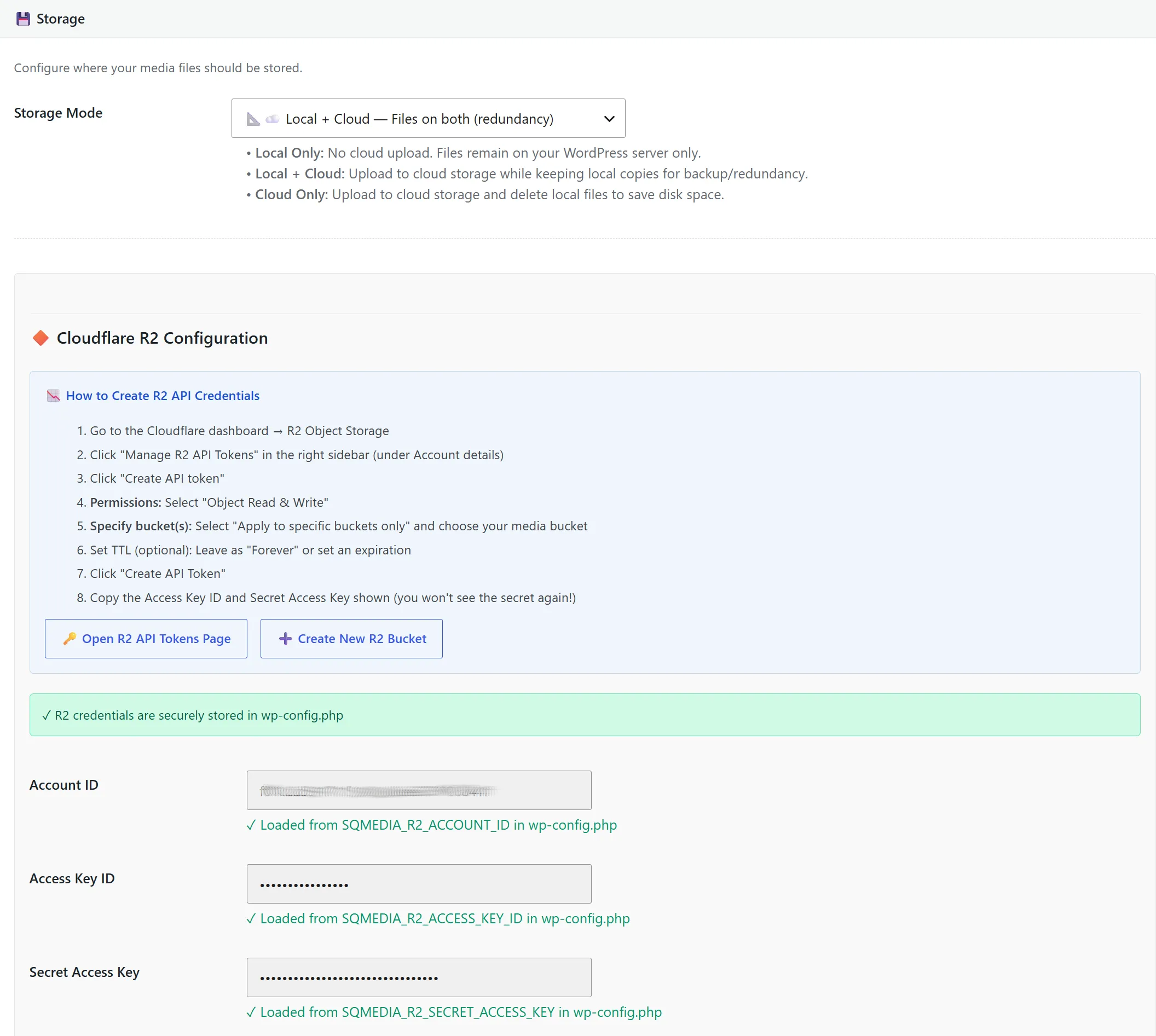
- StaticQ Media: Cloudflare R2
Image Processing
- WP Offload Media: None, offloads whatever WordPress generates, no additional optimization
- StaticQ Media: Queue-based resize, WebP conversion (local or Cloudflare Image Resizing), batch processing via cron
Front-End Delivery
- WP Offload Media: URL rewriting (swaps local URLs for cloud storage URLs)
- StaticQ Media: URL rewriting plus
<picture>tag delivery with WebP/original fallback, lazy loading support
Media Library Scanning
- WP Offload Media: None
- StaticQ Media: Three scanners: Media Library Scanner (file/metadata integrity), Post Content Scanner (stale URLs in posts), Orphan Detection (unreferenced files in uploads)
Cloudflare Integration
- WP Offload Media: R2 support as one of four storage backends
- StaticQ Media: R2 storage, Cloudflare Image Resizing API, Cloudflare Worker deployment, built for the Cloudflare ecosystem
Pricing
- WP Offload Media Lite (WordPress.org): Free, but limited to S3 / DigitalOcean Spaces / Google Cloud Storage, new uploads only (no bulk migration tool for an existing library), no email support, no add-ons.
- WP Offload Media Pro: Tiered by media-item count, unlimited sites at every tier. Bronze $39/yr (≤2k items), Silver $59/yr (≤6k), Gold $149/yr (≤20k), Platinum $199/yr (≤40k), Adamantium $349/yr (≤100k), 500K $799/yr, Unlimited $1,199/yr. New customers typically see a first-year discount.
- StaticQ Media: Free at every level: no Pro tier, no locked features, no per-item fees. Cloudflare R2 support, bulk migration, and library scanners are all included in the free plugin.
When WP Offload Media Might Be the Better Choice
This is a fair comparison, so here’s where WP Offload Media has an edge:
- You need Amazon S3, DigitalOcean Spaces, or Google Cloud Storage. StaticQ Media is built around Cloudflare R2. If your infrastructure is committed to AWS or another provider and switching isn’t an option, WP Offload Media supports those backends natively.
- You need multi-provider flexibility. If you want to swap between S3 and GCS without changing plugins, WP Offload Media’s provider-agnostic approach gives you that.
- You’re already paying for it and it works. If WP Offload Media is running on your site, everything is offloaded, and you’re happy with the setup, there’s no urgent reason to switch. It’s a mature plugin with a long track record, now maintained by WP Engine.
When StaticQ Media Is the Better Choice
- You use Cloudflare. If your domain is already proxied through Cloudflare (and there’s a good chance it is; Cloudflare handles a significant percentage of web traffic), StaticQ Media is purpose-built for that stack. R2 storage, Image Resizing, Worker deployment. It’s all native.
- You want the full pipeline, not just offloading. Moving files to cloud storage is step one. WebP conversion,
<picture>tag delivery, media library scanning, orphan detection. That’s the rest of the pipeline. With WP Offload Media, you’d need additional plugins (and additional subscriptions) to cover it. - You want free. Not “free tier with limits” or “free for the first X images.” StaticQ Media is 100% free: every feature, every site, no artificial caps. The only cost is Cloudflare R2 storage, which has a generous free tier (10 GB storage, 10 million reads/month) and charges $0.015/GB beyond that with zero egress fees.
- You care about media library hygiene. No offloading plugin tells you about orphan files bloating your uploads folder, or stale URLs in your post content, or thumbnails that went missing after a theme change. StaticQ’s three scanners catch problems that accumulate silently over years.
The Bottom Line
WP Offload Media is a good plugin that does one thing well. If you’re locked into AWS, DigitalOcean Spaces, or Google Cloud Storage, the free Lite version can offload new uploads at no cost, and Pro adds bulk migration of your existing library and Cloudflare R2 support starting at $39/year.
But if you’re on Cloudflare, or willing to use Cloudflare, StaticQ Media gives you cloud offloading including R2, plus image optimization, WebP delivery, bulk migration of existing media, and three media-library scanners that WP Offload Media doesn’t offer at any price tier. And it’s free at every level.
The honest comparison: if you only need to offload new uploads to S3 or GCS and you’ll separately install EWWW Image Optimizer for compression, Lite covers that for $0. The moment you want Cloudflare R2, bulk-migrate an existing library, or have any of WP Offload Media’s image-optimization gaps (WebP, scanning, orphan detection) handled in the same plugin, StaticQ is the better choice, and still free.